



WP2Shell: what this WordPress flaw says about maintenance

🇫🇷 Lire en français : WP2Shell : ce que cette faille WordPress dit de la maintenance
WP2Shell is a critical flaw in the WordPress core, patched in an emergency release on Friday 17 July 2026 in versions 6.9.5 and 7.0.2. The problem isn’t in a plugin or a theme: it’s in WordPress itself. A bare install, without a single extension, is enough to be exposed — and WordPress runs roughly 43% of the web. The foundation even triggered forced automatic updates, a measure reserved for the most severe flaws, while the first proof-of-concept code is starting to circulate. But if I’m picking up the pen right now, it isn’t for the flaw itself. It’s for what it reveals: the real issue was never the tool. It’s maintenance.
Warning
This article explains the risk and the protection, without giving any attack method. The goal is to help you secure your site, not to equip anyone.

Between the two padlocks, a single difference: the update was done, or it wasn't. That's the whole issue with WP2Shell.
What just happened
WordPress shipped an emergency patch. That doesn’t happen every day, and it’s worth pausing on for five minutes, even if you’re not a technician.
Security researchers — Adam Kues, of the Assetnote team (Searchlight Cyber) — found a way to take control of a WordPress site remotely, with no account, no password, no click on your part. They reported it to WordPress through the official channel, and the response was fast: patches published on Friday 17 July, in versions 6.9.5 and 7.0.2. The older 6.8.x branch got its own patch in 6.8.6.
Technically, WP2Shell chains two separate defects. The first (CVE-2026-63030) is a route confusion in WordPress’s “batch” REST API, introduced with version 6.9. The second (CVE-2026-60137) is a SQL injection lodged in the query engine, present since 6.8. Individually, they’re already serious. Chained together, they open the door to unauthenticated remote code execution. The healthy versions are 6.9.5, 7.0.2 and 6.8.6; branches 6.9.0 to 6.9.4 and 7.0.0 to 7.0.1 are exposed to the full chain.
A sign that WordPress is taking this seriously: the foundation triggered forced automatic updates, a measure it reserves for the most severe flaws. Many sites were therefore patched on their own. Many — not all. I’ll come back to that.
WP2Shell: a core flaw, not a plugin
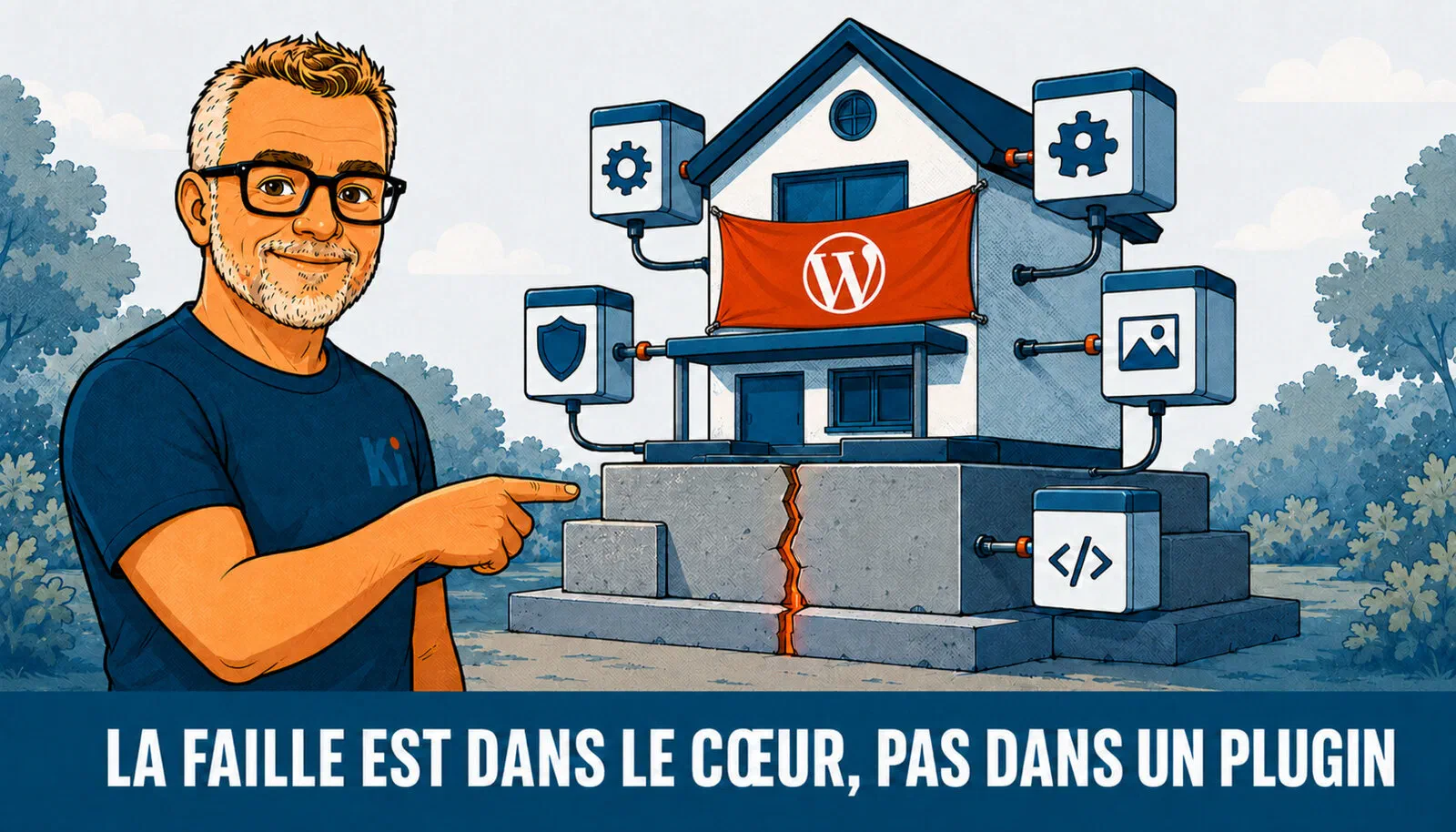
The crack is in the foundation, not the added rooms: swapping the plugins changes nothing.
This is the point to remember, and it breaks a very common reflex.
We often associate WordPress hacks with a badly coded free extension, installed one evening then forgotten. That’s not the case here. WP2Shell targets the WordPress core — the software itself, the one everyone installs identically. Neither your theme nor your extensions are to blame. It’s the version of WordPress that runs your site, and the single fact of whether it’s patched or not.
Tip
“My plugins are up to date, so I’m fine” doesn’t hold here. The flaw is in the WordPress core. A clean, minimal site, without frills, stays exposed if it runs on an affected version without the patch. What matters isn’t the quality of your initial install, it’s whether it’s kept updated.
This shift of the problem matters, because it completely changes the question you should ask. It’s no longer “did I install something risky?”, but “who makes sure my WordPress stays up to date, week after week?”. Keep that question in mind: it’s the heart of this article.
The forced update isn’t enough

The wave of patches locks the sites in its path — but slides right past those that switched auto-update off.
The forced automatic update triggered by WordPress saved a huge number of sites. But it has a blind spot, and a big one.
It only works if auto-update is active. And many hosts and administrators deliberately disable it, to keep control over versions and avoid an update breaking a live site. That’s a legitimate choice — but it has a flip side: those sites received no automatic patch. They’re waiting for a human hand. And for that human hand to be raised, someone has to have the job of raising it.
The timing doesn’t help. The first partial proof-of-concept code is starting to circulate publicly. The researchers deliberately withheld the final link to full takeover, to give sites time to update — but that won’t hold back the most motivated for long, and the automated scans looking for lagging sites are already starting. In other words, the window between “the patch exists” and “the bots come knocking” is closing.
The real issue is maintenance — the Wix paradox

Same software on both sides: what sets them apart is that one is kept updated and the other left to drift.
This is why I’m writing this article, and why it won’t look like the others.
WP2Shell isn’t a WordPress accident. It’s a demonstration. A core flaw, on a clean site, that only becomes a danger if nobody updates: it says it all. The problem isn’t the tool. It’s how it’s operated. And to illustrate it, there’s a contrast we measure at Kimoun that takes on its full meaning today — I call it the Wix paradox.
Wix, like the other no-code platforms, has a bad reputation among purists: less open, less flexible, dependent on a third party. All of that is true. But a Wix site updates on its own. Encryption, security headers, engine patches: the platform imposes them, without the owner having to think about it. A self-hosted WordPress, on the other hand, waits for a human to do the work. Facing a flaw like WP2Shell, that difference isn’t theoretical — it’s what separates an already-patched site from a site left vulnerable all weekend.
That’s exactly what our measurements reveal. Our sector data shows that WordPress powers half of the professional overseas-territories web — up to 64% on Réunion. And our upcoming sector study shows that this half also has the worst security hygiene in the panel. HTTP security is the weakest axis measured: a median grade of D, with nearly two-thirds of sites rated D or F. WordPress installs hold the bottom of the table, with a median security score well below that of no-code sites. On our overall index, the gap shows again: the WordPress sites measured average around 58 out of 100, against nearly 64 for the Wix sites in the same panel. And 87% of the sector stays below the 70-out-of-100 mark.
Note
The paradox in one sentence: the platform we call “closed” protects its users better than a free WordPress left without maintenance. Not because no-code is superior, but because it takes away from the human a task that many don’t take on. The tool doesn’t set the level. Maintenance does.
Our measurements also show that technical debt and weak security go hand in hand: the site with outdated components is the same one with missing headers. That’s precisely the profile WP2Shell comes to mow down. A site abandoned after launch accumulates both at once — and the day a core flaw drops, it’s on the front line.
A word on those figures, in full transparency: they’re aggregated, never named. We don’t point fingers at anyone. The observatory measures a state of the sector, not culprits. Nobody else in Guadeloupe publishes this local measurement — that’s our role, and it’s also what gives weight to what I’m writing here: it’s not a hunch, it’s a reading.
What to do now

Three moves, in order: read your version, apply the patch, then keep an eye on it.
No panic, but no delay either. In order:
- Look at your version. WordPress dashboard, bottom of the page. If you see 6.9.5, 7.0.2 or 6.8.6, the “patch” part is done. Otherwise, move to the next step.
- Update. Go to 6.9.5 or 7.0.2 depending on your branch (6.8.6 if you stayed on 6.8). It’s the only real underlying protection.
- Check it’s actually applied, even with auto-update. The forced update only reaches sites where auto-update is active. Don’t assume: open the dashboard and read the number shown.
- If you can’t update right away, a stopgap exists: block anonymous access to the “batch” REST API endpoint, at the web application firewall (WAF) or a security plugin. Watch out for a trap: this endpoint answers in two forms,
/wp-json/batch/v1and?rest_route=/batch/v1. Blocking only one is useless. Cloudflare also offers ready-made rules for sites that route through its network. - Use the official tester. The people who found the flaw put a tool online at wp2shell.com that tells you whether an install is vulnerable. Prefer it to a “scanner” found at random: at a moment like this, dodgy fake tools multiply.
Important
Updating remains the priority. Blocking the endpoint is a temporary patch-up to hold for a few hours — not a substitute for the fix. Once updated, you can lift the measure.
And if all of this seems obscure, that’s normal: it’s not your job. One useful note in passing — hosting a site and keeping it up to date are two different things, and many owners wrongly believe their host takes care of the second. At Kimoun, we can quickly check the state of your site — version, patch applied, endpoint exposed — and tell you in black and white where you stand. A simple check, not a quote.
WP2Shell is a reminder of something simple: a site isn’t an object you install then forget. The observatory measures the sector’s exposure; the expert fixes sites, one by one. Updating today protects the future — and the day the next flaw drops, it’s maintenance, not the tool, that will make the difference. We look in detail at the lessons of this flaw — and at what separates hosting a site from keeping it running over time — in a dedicated article on WP2Shell.